
An MRA Labs product
Life Dashboard
Your whole day, at a glance.
Life Dashboard brings email, calendar, reminders, work in progress, and the weather onto one screen. You see what needs you now — without opening ten apps.
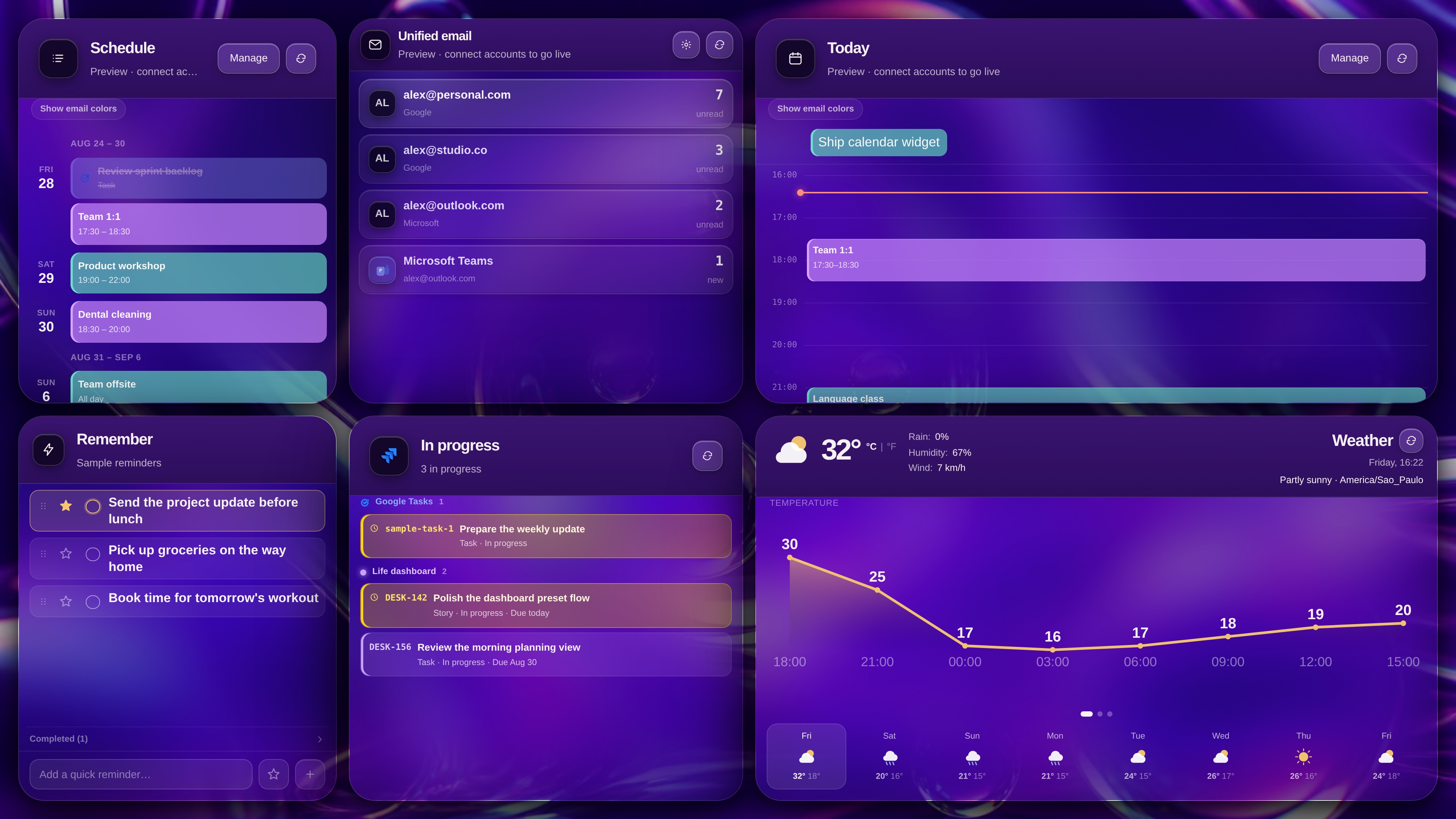
Everything in one place
Work and personal life together. No more hopping tabs just to know what’s going on.
What matters, right now
Unread mail, meetings, deadlines, and reminders — the essentials up front, so you don’t have to hunt.
Your way
Choose what’s visible, how large each block is, and how the board looks. Save different layouts for morning, deep work, or winding down.
Built for the day, not for a spreadsheet
Less context-switching. More clarity on what to do next.
01
One screen, no tab-hopping
Leave the board open. Email, calendar, notes, and what’s in progress stay in the same view.
02
Inboxes, together
See what’s still unread in Google, Microsoft, and Teams in one block — with the totals right there.
03
Today and what’s next
The timeline shows today’s commitments. The schedule lists what’s coming — including what’s already overdue.
04
Reminders in the same glance
Jot down what mustn’t slip, star what matters, and check off what’s done, without leaving the board.
05
Work in progress, visible
What you’re actually doing stays in view, with a clear due date — nothing important buried in another tool.
06
Weather before you head out
Temperature, rain, and wind so you know whether to leave earlier or take an umbrella.
Each block of your day
Six widgets. Each one covers a part of the routine. Together, they become the board you leave open.
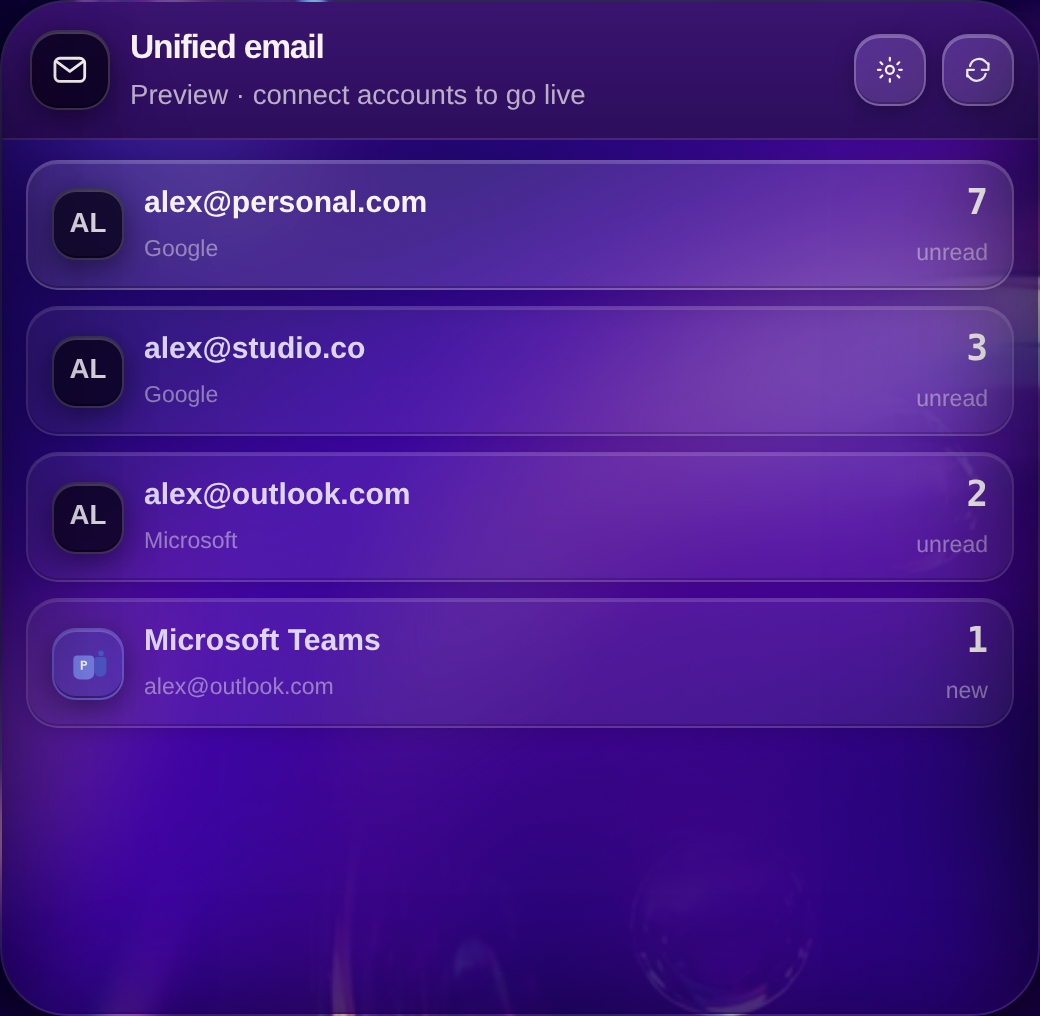
Every inbox, one glance.
Unified email
Instead of opening Gmail, Outlook, and Teams one by one, you see what’s still unread in each account — and the total — in the same block.
- Unread mail from Google, Microsoft, and Teams together
- A clear count per account, without opening the inbox
- A visual cue when something new arrives
- One tap to jump to the account you want
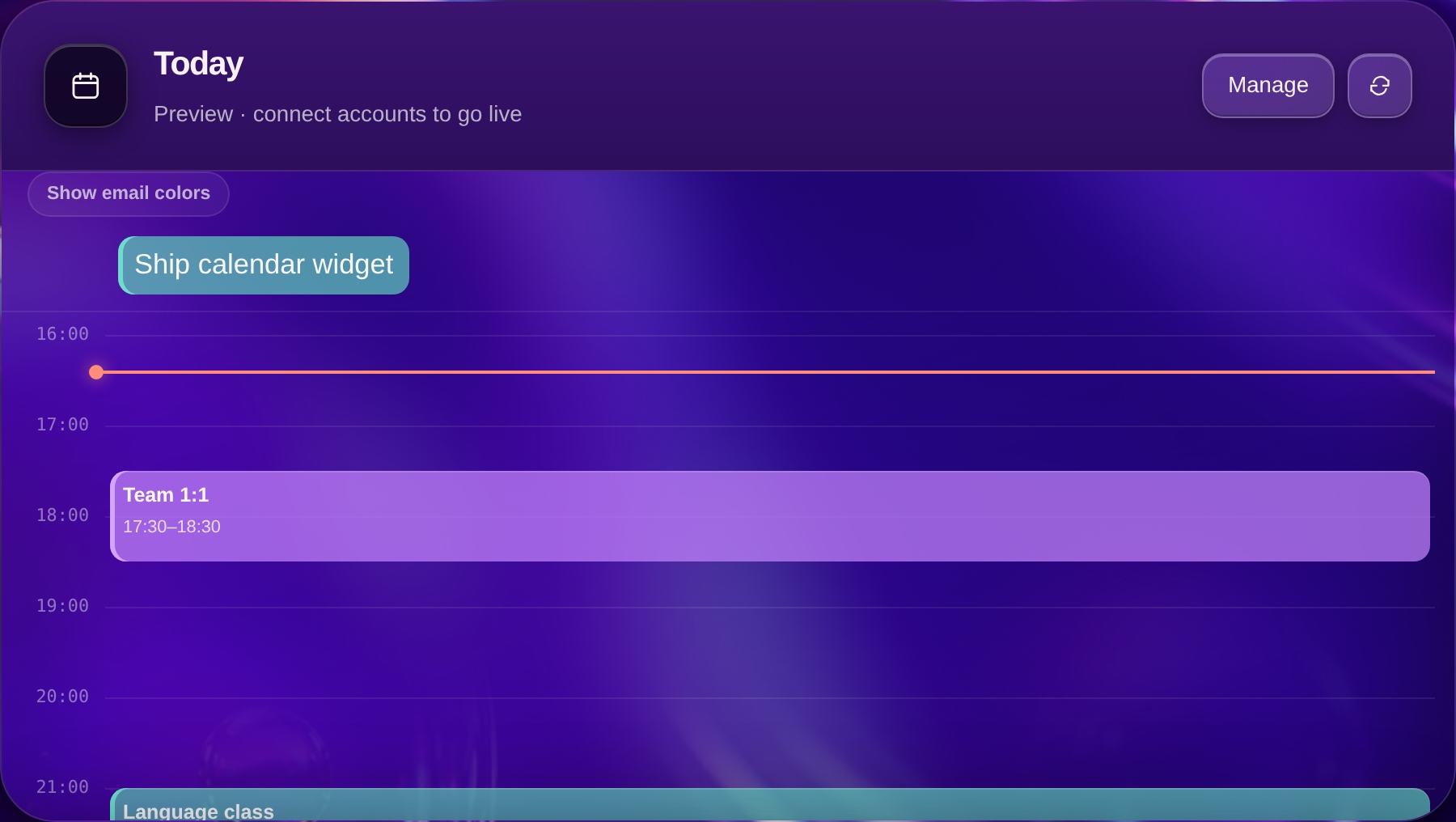
Your real day, on a timeline.
Today
Events from every calendar at the right hour, with a line that shows where you are now. Tasks and due dates for the day sit in the same view.
- Personal and work events on the same day, each with its own color
- You see the current time and what’s still ahead
- Tasks and deadlines appear alongside meetings
- The hour range stretches to fit what you actually have booked
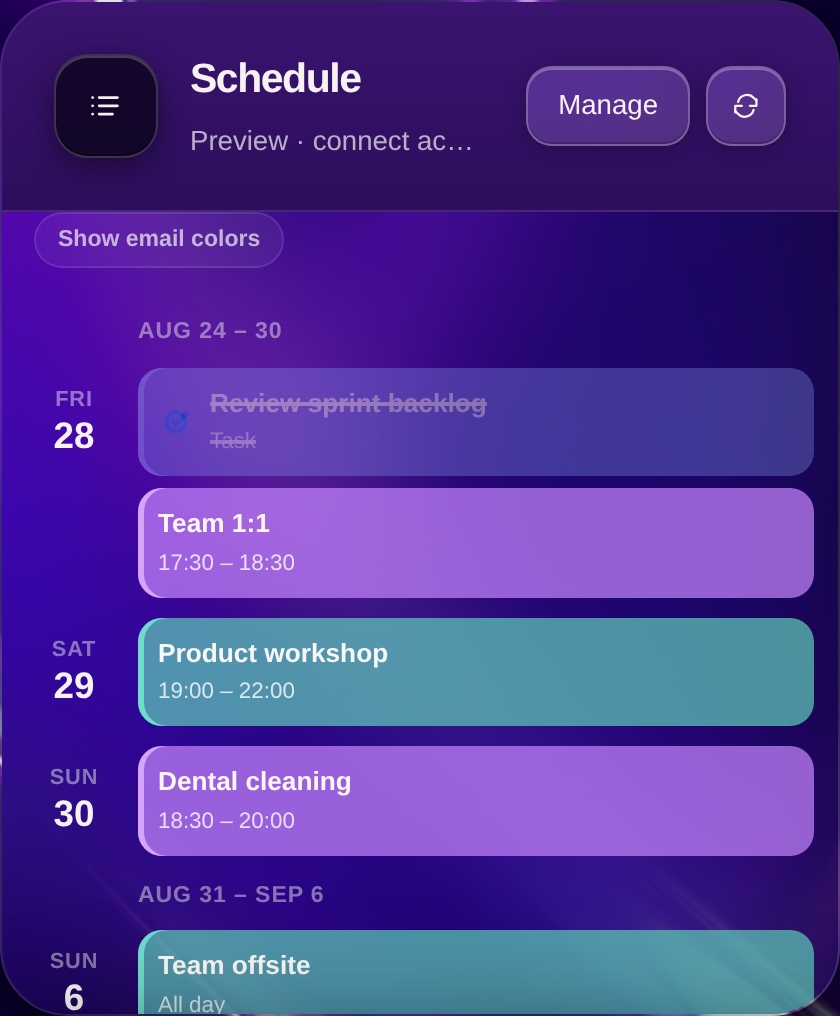
What’s coming in the next few days, as a list.
Schedule
Once today lives in the Today widget, Schedule shows what’s next: meetings, tasks, personal plans, and what’s overdue — so you don’t have to rebuild the week in your head.
- Upcoming commitments grouped by day
- Work and personal life in the same list
- Overdue items stay visible instead of disappearing
- Time and place, clear at a glance
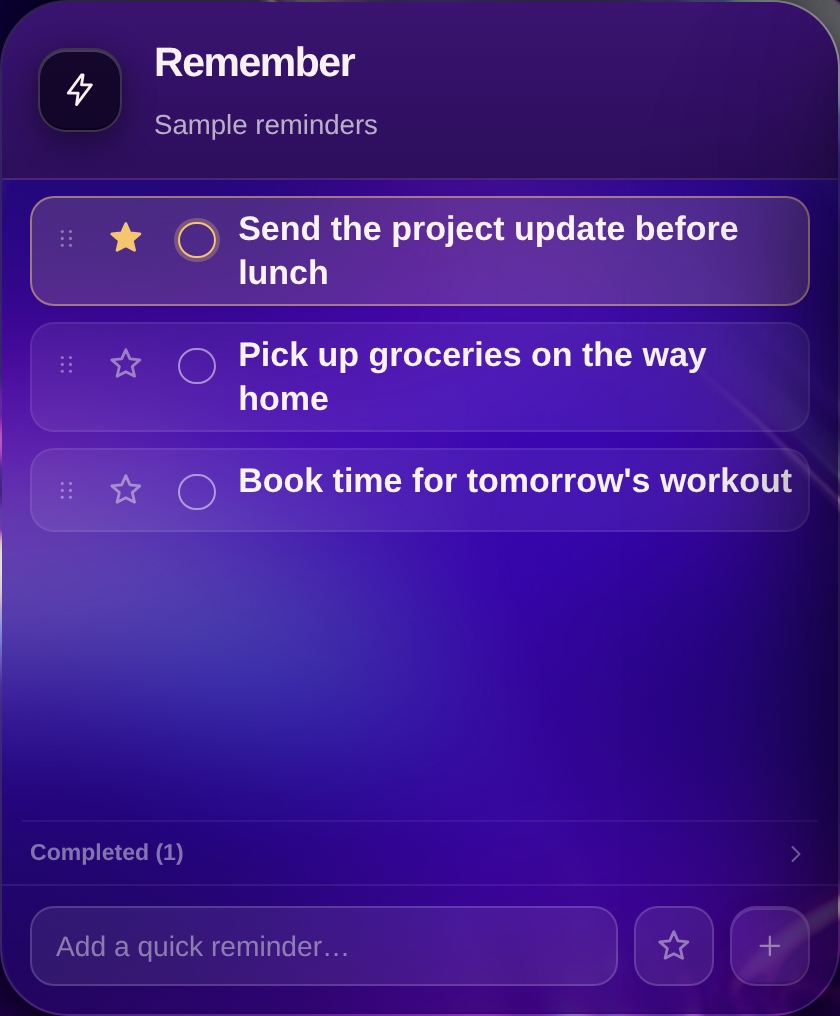
What mustn’t slip, captured in seconds.
Remember
For the note that doesn’t belong on the calendar: send the update, pick up groceries, book the workout. It lives on the board, not on a scrap of paper you’ll lose.
- Add a quick reminder without opening another app
- Star what matters most
- Check off what’s done — and undo if you need to
- Reorder the list the way you think
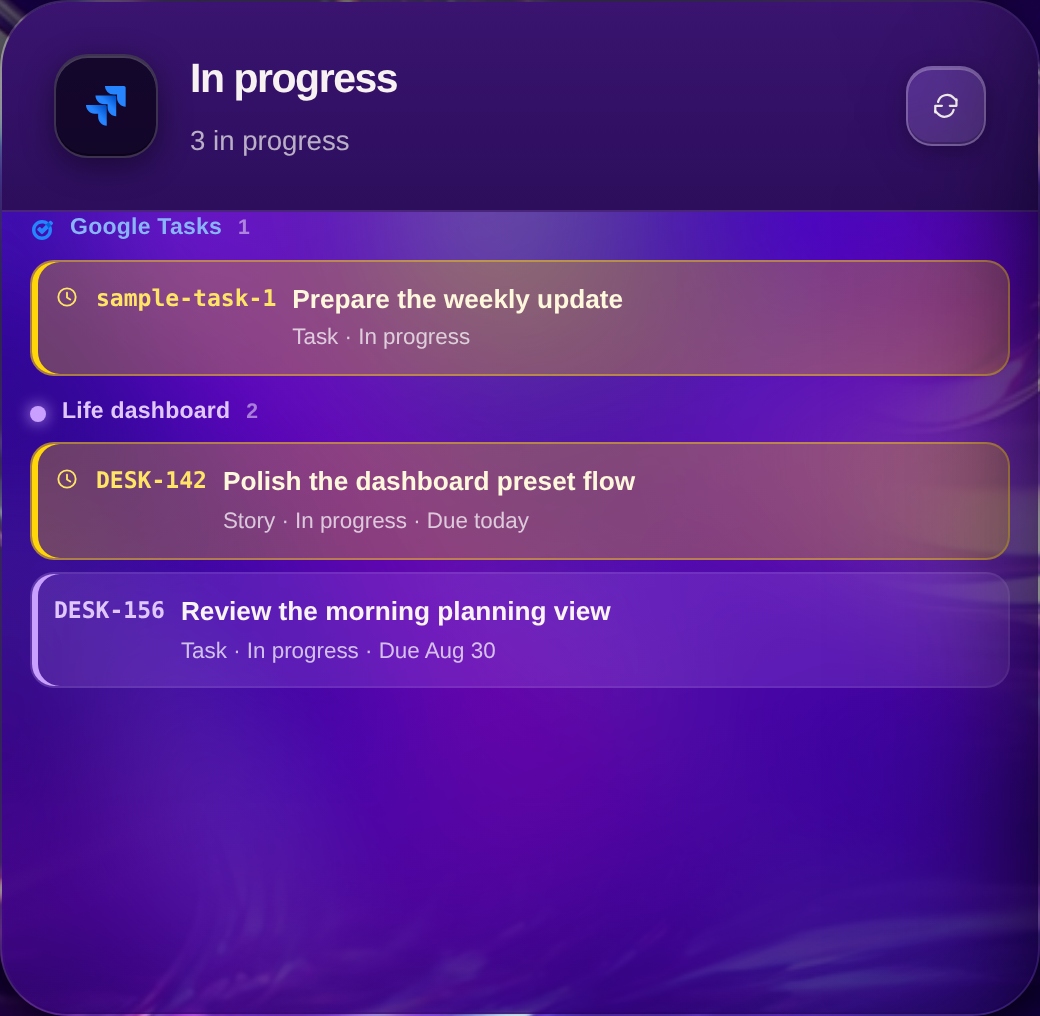
What you’re doing now — not only what’s on the calendar.
In progress
Tasks and work items that are underway, with due dates in view. Made for picking up the thread after a meeting, without hunting for what was left half-done.
- What’s in progress, grouped by source
- Clear timing: overdue, due today, or later
- Work and personal tasks in the same block
- One glance is enough to know where to continue
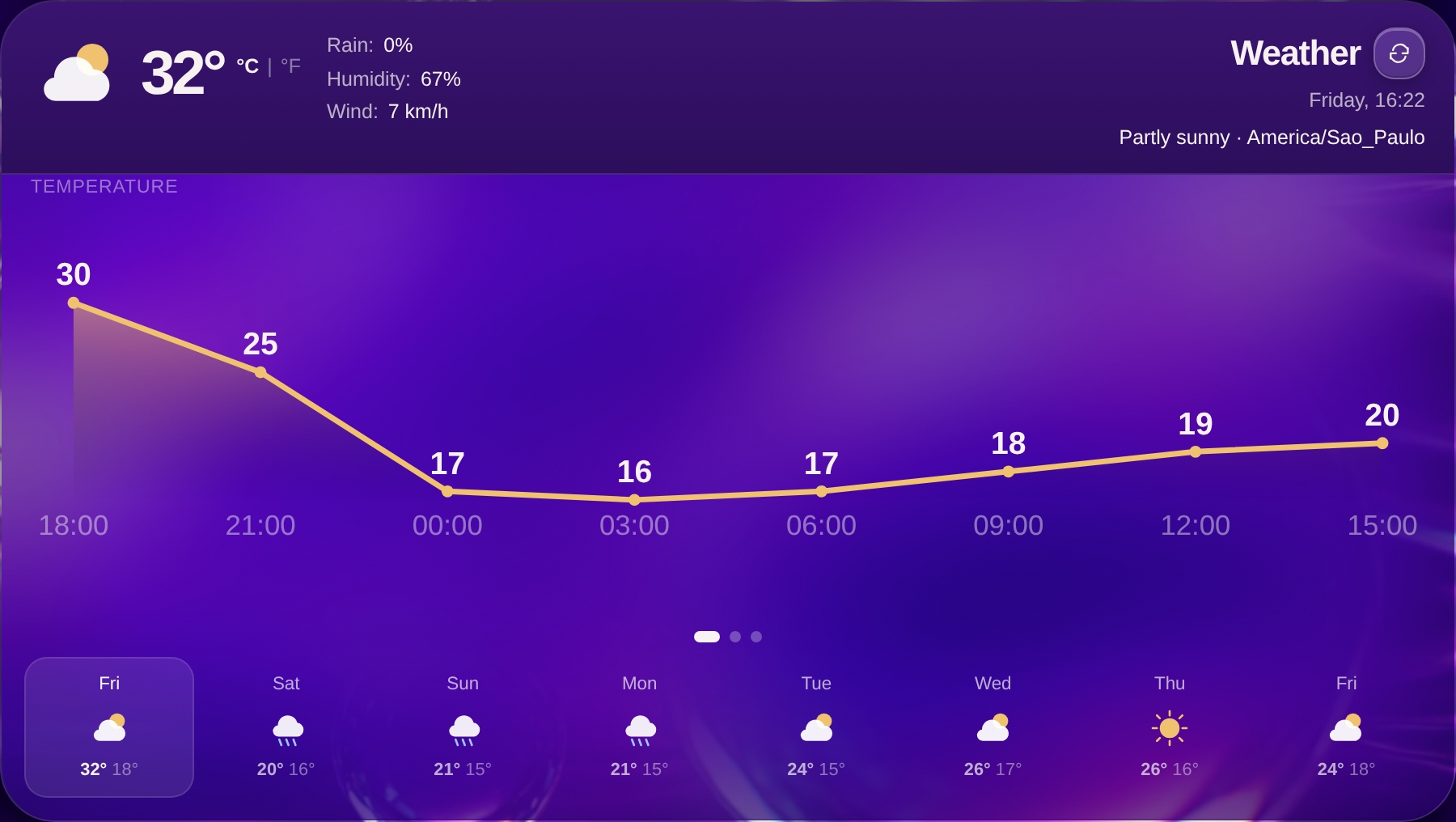
Stay or go: the forecast on the same board.
Weather
Temperature now, chance of rain, wind, and the days ahead. So you can decide when to leave, what to wear, and whether that outdoor plan still holds.
- How it feels right now, in large numbers
- Temperature, rain, and wind for the coming hours
- The forecast for the next few days
- Units your way — Celsius or Fahrenheit
Ready to see the whole day at once?
Tell us what you need to keep up with each day. We’ll show how Life Dashboard fits your routine.